コイカツ! / Koikatsu Party Screenshots


コイカツ! / Koikatsu Party review
Master character creation, gameplay mechanics, and relationship building in this 3D dating simulation
コイカツ! / Koikatsu Party stands as a unique 3D dating simulation developed by Japanese studio Illusion, available on Steam since June 2019. This expansive school-based simulation invites players to create custom anime characters and navigate complex relationship dynamics through meaningful interactions. Whether you’re drawn to the extensive character customization system, the intricate relationship mechanics, or the vibrant community-driven modding scene, understanding the core gameplay elements is essential for maximizing your experience. This guide covers everything from initial character creation to advanced relationship progression and unlocking exclusive content.
Getting Started: Character Creation and School Setup
So, you’ve just loaded up コイカツ! / Koikatsu Party for the first time, and you’re staring at the main menu, heart pounding with a mix of excitement and “where do I even begin?” 😅 I’ve been there. The sheer scope of this 3D dating simulation customization can be overwhelming. But trust me, the magic—and the heart—of this entire experience starts in one place: the character creator.
This isn’t just a menu; it’s your artist’s studio, your narrative workshop, and your gateway to a living school. Forget needing a degree in 3D modeling. The genius of Koikatsu Party character creation is how it turns complex sculpting into intuitive, playful slider adjustments. This chapter is your friendly handshake with the game. We’re going to walk through building your first character, filling your academy with personalities, and mastering the interface, so you can move from confused newcomer to confident creator. Let’s dive in! ✨
Understanding the Character Customization System
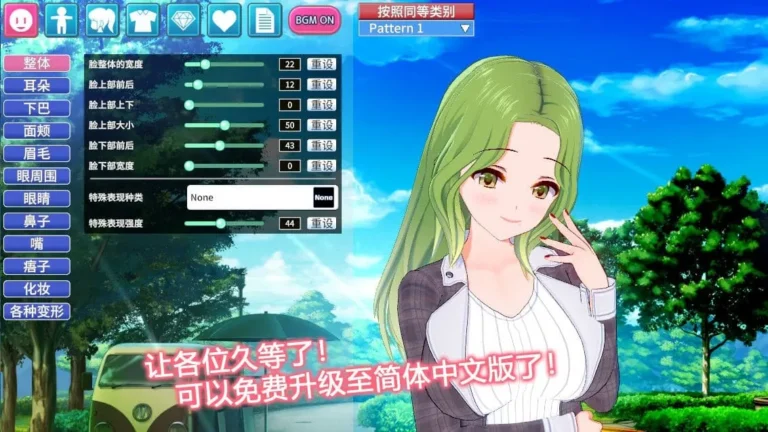
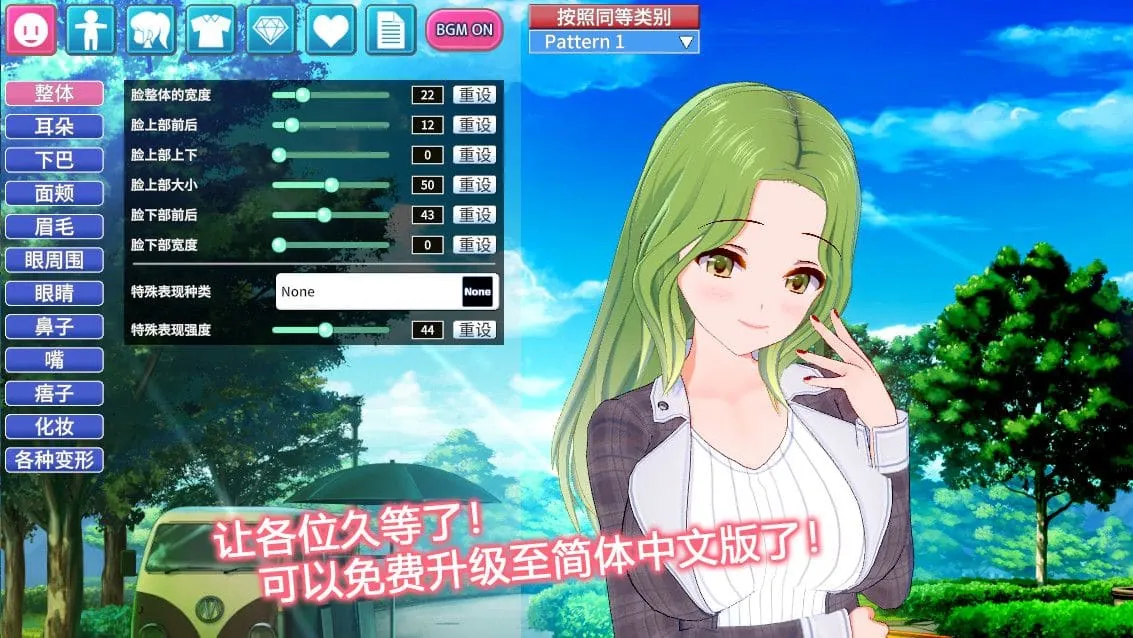
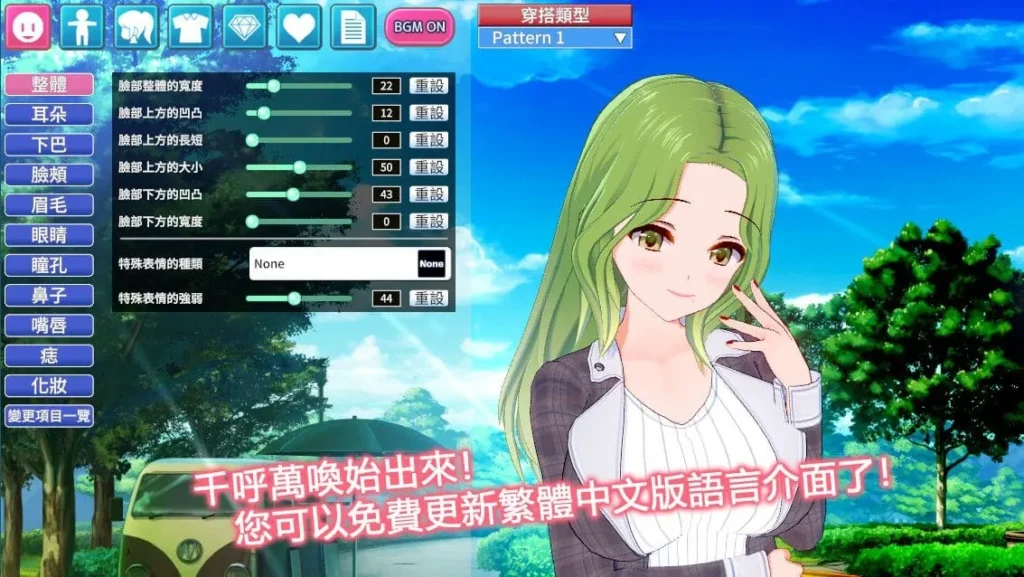
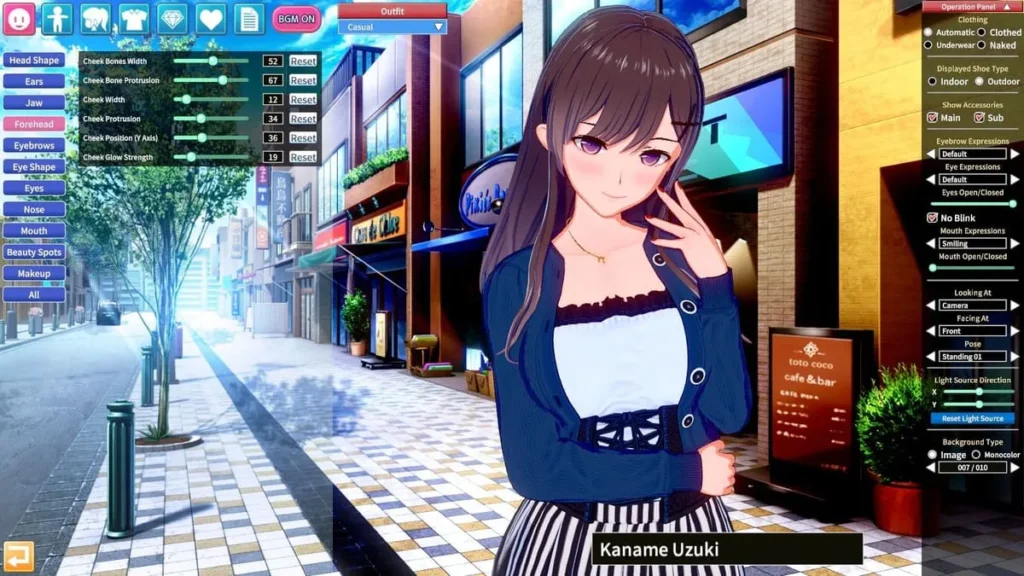
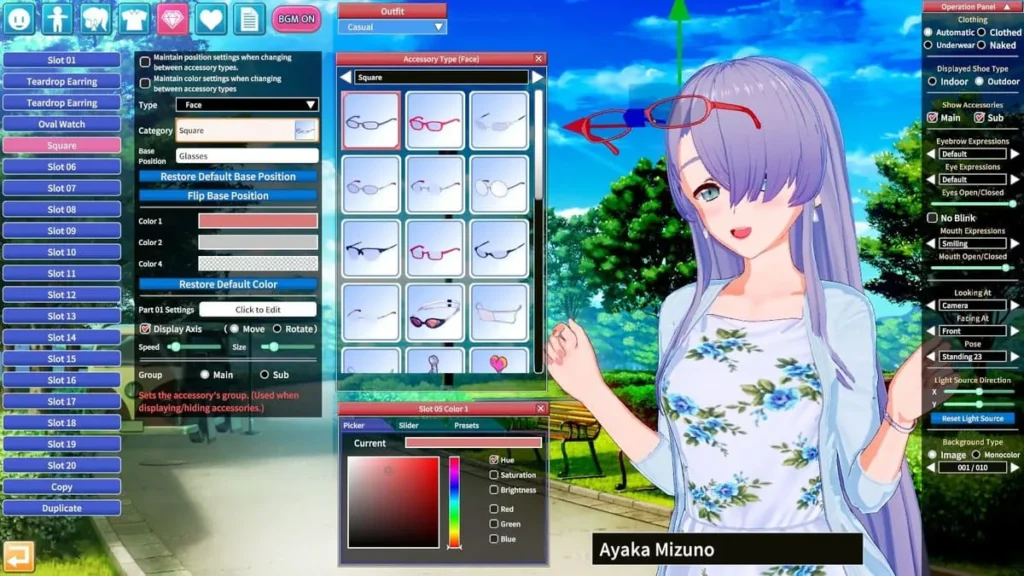
Right off the bat, you’ll want to head to the “Create Character” section. This is where the legendary anime character creator guide truly begins. The system presents you with a default character, and this is your digital clay. The left side of your screen is a massive, categorized list of every single thing you can tweak—from face shape and eye details to the most minute elements of body proportions.
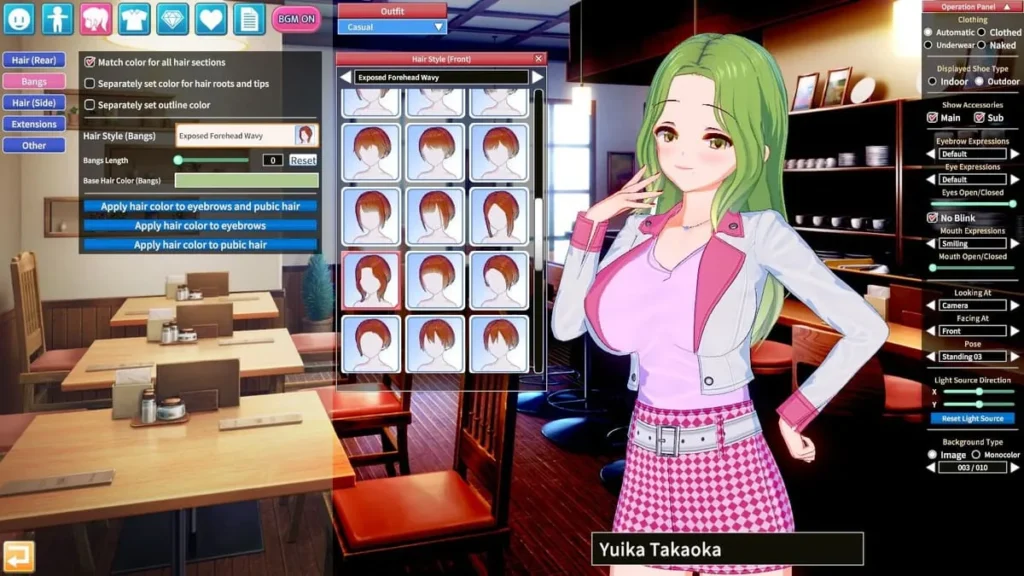
The beauty lies in the sliders. Want to make your character’s eyes sparkle more? There’s a slider for “Eye Shine.” Want to adjust the precise curl of their smile? Sliders for “Mouth Shape” and “Smile” have you covered. You are painting with numbers, and it’s incredibly forgiving. My personal “aha!” moment came when I tried to recreate a friend’s anime-style OC. I was stuck on getting the hair’s unique sidelock shape right. I fumbled for a “sculpting” tool that didn’t exist, until I realized the “Hair” tab let me adjust individual chunks of the hairstyle—their length, width, rotation, and position—with simple sliders. In minutes, I had a perfect match, without any 3D modeling knowledge.
Pro Tip: Don’t try to build your dream character from scratch on day one. Pick a preset that’s close and modify it. It’s less daunting and teaches you how the sliders affect the model.
This approachable depth is what fuels the incredible community around the game. People share elaborate, pre-made character cards online, which you can instantly import. But the real joy for me has always been in the tweaking—taking an imported character and making them mine by changing their hair color or adjusting their expression. It’s a 3D dating simulation customization suite that empowers everyone, from casual players to dedicated artists. Remember, your first character doesn’t need to be perfect. Experiment! Make someone absurdly cute, then someone dramatically cool. Play with the “Skin” and “Makeup” tabs to see how drastically you can change a vibe. This sandbox is your playground. 🎨
Populating Your Academy and Selecting Personality Archetypes
Once you’ve saved your first masterpiece, the next step in your school simulation character setup is to build a world for them to live in. Head to the “Main Game” or “Story” mode, and you’ll be prompted to set up your academy. Here, you can decide how many students attend, the male-to-female ratio, and most importantly, who they are.
This is where you’ll import or create the rest of your student body. You can manually create dozens of unique characters, or, to quickly fill the halls, use the game’s robust random generator. I often use the generator for background students and then hand-craft the main characters I plan to interact with. But a character’s looks are only half the story in Koikatsu Party. The soul comes from their personality archetype.
When you select a character in the academy roster, you’ll see a dropdown menu with over 30 personality archetypes in Koikatsu. This choice is critical. It doesn’t just change a label; it fundamentally alters the character’s dialogue, their reactions to your actions, their daily routines, and even their voice patterns. Choosing between “Cool Beauty,” “Genki,” “Delinquent,” or “Shy” creates a completely different person, even if they look physically identical.
For example, in my first playthrough, I made two characters with similar “class representative” looks. I gave one the “Serious” archetype and the other “Friendly.” The Serious character would scold me for being late to class but open up about her strict family during heartfelt conversations. The Friendly character greeted me with a bright smile every day and was always up for a fun club activity, but got flustered during more intimate talks. Their paths felt genuinely unique because their core programming was different.
To help you navigate this crucial choice, here’s a breakdown of some key archetypes and how they shape your in-game world:
| Archetype | Core Trait | Interaction Style |
|---|---|---|
| Genki | Energetic & Loud | Very forward, initiates playful conversations, loves group activities. |
| Cool Beauty | Aloof & Reserved | Harder to approach initially, dialogue is more sophisticated and blunt. |
| Delinquent | Rebellious & Tough | Uses rougher language, can be confrontational but values loyalty. |
| Shy | Timid & Nervous | Stammers often, gets easily embarrassed, requires a gentle approach. |
| Ojou-sama | Elegant & Posh | Polite but formal speech, has specific tastes and expectations. |
| Bookworm | Intellectual & Quiet | Talks about studies and books, often found in the library. |
When how to create characters in Koikatsu Party, always pair the visual design with an archetype that fits the story in your head. Do you want a shy, blushing underclassman with glasses? Or a confident, sporty upperclassman? The archetype brings the static model to life. Mixing and matching these across your academy ensures that every hallway conversation and classroom interaction feels dynamic and surprising. 🏫
Navigating the Interface and Game Settings
Now that your academy is buzzing with life, let’s get comfortable with the tools at your fingertips. Mastering the Koikatsu Party interface controls is key to a smooth and enjoyable experience, both in creation and in gameplay.
In the Character Creator:
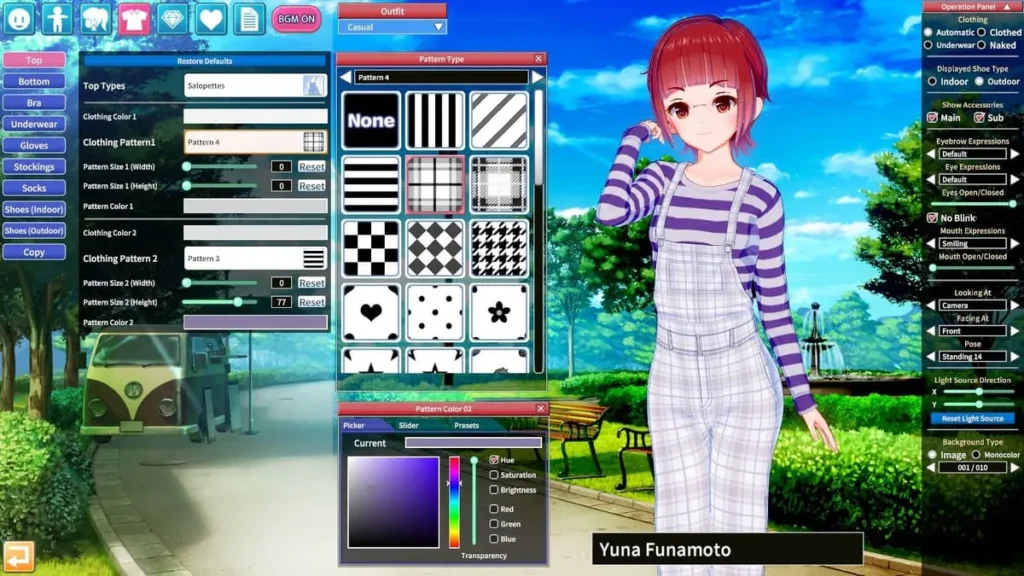
Beyond the sliders, the interface has some powerful, easy-to-miss features. The top bar often has icons for saving, loading, and randomizing. Crucially, look for the “Clothing” tabs. Here, you can not only change outfits but customize each piece. You can change the color palette of any clothing item with a simple color picker, adjust patterns, and even modify decals. Found the perfect swimsuit but wish it were a different color? Two clicks, and it’s done.
Another game-changer is the “Pose” and “Scene” menu. This lets you position your character in a setting to see how they look in action, which is vital for checking proportions and outfits from different angles. You can adjust lighting, camera angles, and facial expressions on the fly to capture the perfect screenshot of your creation.
In the Main Game:
The school simulation interface is designed to be browsed with both mouse and keyboard. You’ll primarily navigate using your mouse to click on locations on the school map (Classroom, Roof, Courtyard, etc.) and then interact with characters you see there.
Essential Tip: Press the ‘H’ key on your keyboard to bring up a quick-help overlay of controls anytime. It’s a lifesaver for remembering shortcuts!
The in-game menu (often accessed by right-clicking or pressing ‘Esc’) is your hub. Here you can:
* Access Your Roster: View all students, their stats, and your relationship level with them.
* Adjust Game Settings: This includes gameplay speed, text speed, sound volume, and crucially, safety settings and content filters to tailor the experience to your comfort level. The game offers a remarkable degree of control here.
* Save and Load: Save often! Different save slots let you experiment with different character and relationship paths.
Understanding character positioning is also part of interface mastery. Where you and another character are physically standing in a scene (like in a classroom or by the lockers) can determine which interaction options are available. Getting close might enable private whispers, while standing at a distance might limit you to general greetings. The game gives you subtle visual cues, so pay attention to the context.
Getting started with コイカツ! / Koikatsu Party might seem like a lot, but by breaking it down into these three pillars—creating your avatar, building a world with personality archetypes, and learning the interface—you’re not just learning a game. You’re learning a toolkit for storytelling and creativity. Your first academy won’t be perfect, and that’s okay. Mine was a chaotic mix of random faces and clashing personalities! But each new character you design, each archetype you test, makes you more adept at bringing your wildest school simulation character setup ideas to life. Now, with these basics in hand, you’re ready to step into the halls and start your own unique story. Good luck, and have fun creating! 🎮❤️
コイカツ! / Koikatsu Party offers a multifaceted gaming experience that extends far beyond surface-level interactions. From the intuitive character creation system that empowers players without 3D modeling expertise to the intricate relationship mechanics that reward thoughtful progression, the game creates a compelling sandbox for creative expression and relationship exploration. The combination of core gameplay features—dialogue systems, club activities, position unlocking, and story elements—provides substantial depth for players seeking meaningful engagement. The thriving modding community further extends the game’s longevity, offering endless possibilities for customization and new content discovery. Whether you’re interested in character creation, relationship building, or exploring community-created scenarios, Koikatsu Party delivers a rich, evolving experience that continues to grow through player contributions and creative exploration.